Audio Marketing
Spotify Ads like a Pro – this is how you run advertising that performs!
If you want to get your company and your brand on track for growth, Spotify Ads should definitely not be missing from your growth marketing mix! Thanks to the large user base, a considerable reach is possible on the music streaming platform. In addition, you reach a broad and diverse audience with your advertising messages. Thanks to fine targeting, you decide for yourself who should hear and/or see your advertising. The result: advertising that reaches the right target group and performs excellently! The following article shows you how to advertise with Spotify Ads.
Reading time: about 9 minutes

Spotify Ads – harness the power and capabilities of the world’s largest streaming platform
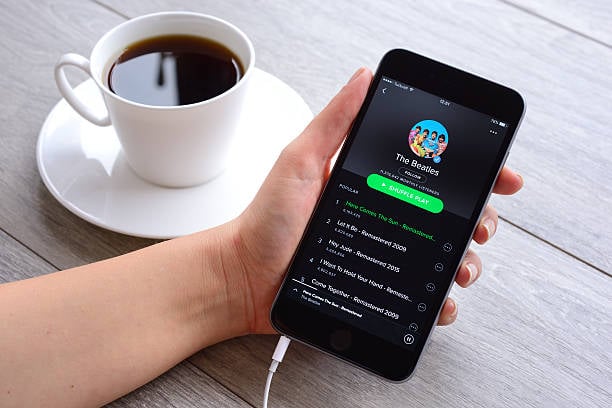
Used correctly, Spotify is the sound revolution in marketing! The main reason for using Spotify Ads is that Spotify is the world's largest streaming platform.
In the second quarter of 2023 alone, the Stockholm-headquartered music streaming provider recorded 551 million monthly users, according to Statista. 40 percent (220 million) of all users had a premium account.
Free users regularly come into contact with Spotify Ads
The number of free users – those who stream music and podcasts with a free Spotify account – is also considerable. And this is exactly where you come in as an advertiser! In order to finance itself and provide free access to popular music hits and albums, the operator regularly displays advertising in return.
Spotify is also unbeaten in Germany and is number one among users when it comes to using audio streaming services. You should take advantage of this advantage and use the power and opportunities for yourself. Use Spotify Ads for your marketing mix and become a growth champion with your company and your brand!
5 Steps to Spotify Ads
5 Easy Steps to Advertise with Spotify Ads
Are you ready to get started with Spotify Ads and run your first ad? With the following 5 steps you will be there! Here we go:
- Register: Log in with your Spotify account and go to Ad Studio to get to the campaign manager. Alternatively, you can create a new business account to create and manage your ads here in the future.
- Account setup: If you don't have a proper ad account yet, you will also need to complete its setup. The corresponding message “Complete account setup” is displayed at the top right. All data about your company/business such as name, company type, region and industry are required.
- Create campaign: In the next step you create your first campaign. To do this, click on “Create” in the left overview. Follow all the necessary steps where you have to define your goal and determine your target group. You also set the budget here.
- Upload media: In the last step, you upload all the files you want (banners, video and audio spots) to create your advertising material. If necessary, Spotify also offers its own powerful tools with which you can fine-tune your ads and customize them as desired.
- Check & send ads: Finally, go through all the settings and details of your ads again and check them. If everything is correct, save and transmit the data. A little patience is now required until the support team checks and activates your ads.
Spotify Ad Studio
Successful Spotify Ads Targeting with the Spotify Ad Studio
After you have successfully created and set up your Spotify Ads account, you are now in the heart of it - the campaign manager.
The following main functions are available for selection:
- Format selection: If you want to advertise on Spotify, you can generally choose between audio and video formats. As you progress, you can also choose between other ad types – more on that later!
- Goal definition: Here you determine what goal you want to achieve with Spotify Ads and your advertising campaigns. Above all, you can increase your reach and therefore your brand popularity. You can also define as a goal that you want to receive impressions, clicks or video views.
- Target group targeting: In order for your advertising materials to perform properly and reach where you want them, precise target group targeting is important. You can make precise adjustments for your Spotify advertising campaign. This applies especially to location (regional and local), demographic characteristics, music preferences (genre) and other interests.
- Budget & Period: Here you determine how much you want to invest in your campaign(s). A minimum budget of 250 euros is required for each campaign. You also define the period in which the ads will be displayed.
- Creatives: Here you add various elements such as music, images and videos and give your advertising the finishing touches. If you are planning, among other things, Spotify audio advertising, you will find professional tools to support you in the Ad Studio.
Place advertising on Spotify
Do you want to run irresistible Spotify ads and grow successfully? Ad Specialist supports you!
Spotify Ads can be a challenge, especially for beginners and inexperienced advertisers. Various problems can arise:
- Incorrect audience targeting
- Wrong choice of advertising formats
- Content/ads are not attractively designed
- No/poor analysis of competitors
- Incorrect measurement of results and associated poor optimization
- Incorrect budgeting
We get your brand on track for growth!
If you want to advertise on Spotify, there are a lot of things to consider and advertisers can do a lot of things wrong. Do you want to do everything right from the start and run irresistible Spotify ads? We at Specialist Ads will support you and get you and your brand on track for growth!
Our experienced and competent Spotify marketing team specializes in finding, targeting, measuring and optimizing the right advertising media. This allows us to create fantastic advertising right from the start that resonates with users and stays in their minds. Contact us to find out more!
Advertising formats Spotify
Which advertising formats are available for Spotify Advertisement?
We already briefly discussed the fact that the audio and video formats are generally available for Spotify Ads. In addition, the two format groups can be divided into further advertising formats and types of advertisements.
We'll go into this below:
Audio Ads
Spotify Audio Ads are probably the most common advertising format and a classic. A commercial is shown between pieces of music and lasts up to 30 seconds.
In addition to the commercial, an advertising banner is displayed in the Spotify app or in the streaming player in the internet browser. It contains more information and a CTA button (call-to-action).
If a user clicks on the CTA button, they will be redirected to a landing page. Here they are encouraged to, for example, sign up for a newsletter or download an app.
Sponsored Sessions
Here you come to the fore as an advertiser and treat the user to 30 minutes of music enjoyment without commercial interruptions. In contrast, he has to watch a promotional video beforehand in which you draw his attention to you and your brand/product. Here too, the main goal is a click on the CTA and a conversion.
Sponsored Playlist
Spotify has a large selection of different top playlists that are popular with users. Here you have the chance to increase the awareness of your brand by sending targeted, thematically relevant advertising messages.
For example, you could promote your gym or a fitness app on a workout playlist. Or, you advertise a meditation app in a relaxation playlist.
Spotify Ads in Podcasts
Whether while driving, falling asleep, or doing sports – podcasts are now omnipresent in our society. With a thematically appropriate Spotify Podcast Advertising, commercials are shown in specific podcast episodes. By being relevant to the topic, you can target your audience with your advertising message and reach them exactly where you want them.
What is particularly interesting here is the Streaming Ad Insertion (SAI) technology for Spotify Ads. It provides you with insights and metrics for your target groups and campaigns in real time. In order to measure the reach of your advertising material, downloads of podcast episodes are no longer required as a guide. You always stay up to date and receive precise data and therefore results.
Video Ads
Similar to audio ads, video ads (opt-in video) display video spots with a playing time of up to 30 seconds between pieces of music. In addition, an advertising banner with further information is displayed, which is intended to encourage clicking in order to trigger a conversion.
Video Takeover
Spotify Ads with a video takeover appear whenever users search for music or podcasts. This means you get maximum attention with your video advertising because users are looking at the screen at that moment. In addition, you can increase the interaction rate and conversions with a CTA and a companion banner.
Display Ads
This is all about classic banner advertising. You can choose to display static or animated banners and thus draw the focus on you and your brand. The advertising format works on desktop and mobile devices and also comes with a CTA. Display ads can also be divided into other formats:
- Leaderboard: Your ad will be clearly visible for 30 seconds and will only be displayed if Spotify is currently open by the user - i.e. in the visible area.
- Overlay: This will help you achieve a high level of attention and brand impact. Because an overlay is always displayed when the user returns to the Spotify app. In addition, by clicking on the CTA you direct traffic to a landing page.
- Homepage Takeover: With this advertising format in Spotify for Brands, you will receive full attention with your advertising material for 24 hours. During this period, a large advertisement will be displayed at the top of Spotify's desktop homepage. Interactive elements, an audio track and animations are possible to increase engagement.
Spotify Ads Costs
Spotify Ads costs – there is a suitable solution for every budget
The cost of running Spotify Ads depends on several factors:
- Advertising format, quality of ad and placement
- Target group
- point in time
- region
- competition
- Seasonal fluctuations
Advertise on Spotify – costs vary depending on the competition
In addition to the advertising format, the quality of an ad and its placement, competition plays a crucial role in Spotify Ads. The determination of advertising costs in the system is based on an auction model.
In other words: The highest bidder gets the best advertising space and therefore reaches the most users. So if you want to create Spotify Ads for a highly competitive and sought-after target group, you will have to dig deeper into your pockets, as the costs will automatically increase.
It is also important to know that an advertising budget of at least 250 euros is required to create and book a campaign.
Frequently asked questions & answers about Spotify Ads

Through his performance-oriented and effective approach, he has built a reputation as a leading expert and speaker in German e-commerce. In this blog - as well as on LinkedIn and his YouTube channel - he regularly shares valuable insights about data-driven influencer marketing.
Learn more about Moritz- Or follow me on:



Next Post